Top Features of the KML Viewer & Converter App You Should Know
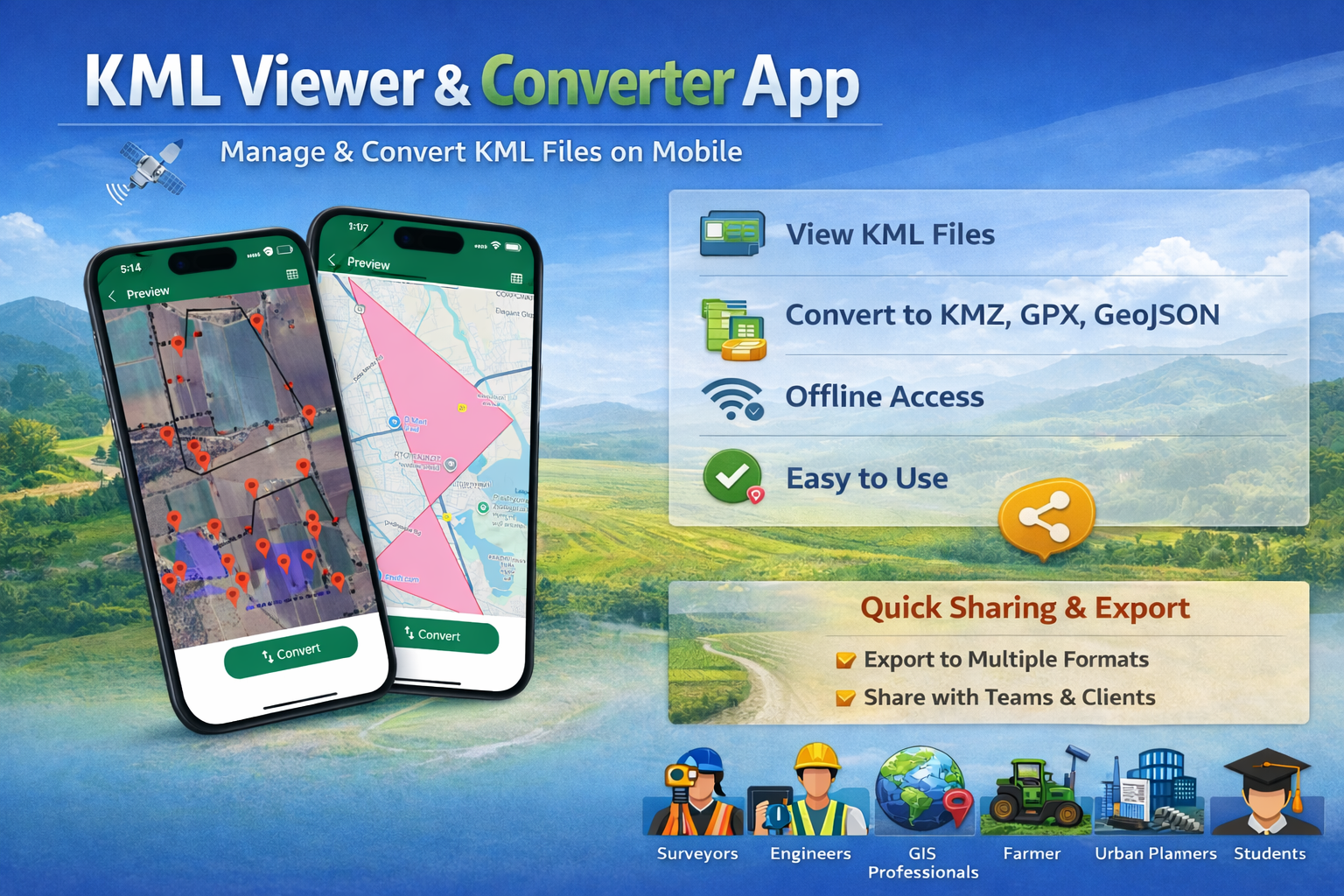
Managing geographic and map data on mobile devices has become essential for professionals working in surveying, GIS, agriculture, and infrastructure planning. The KML Viewer & Converter app is designed to make working with KML files fast, accurate, and simple on both Android and iOS devices.
In this blog, we’ll explore the top features of the KML Viewer & Converter app, how it helps professionals save time, and why it’s a powerful mobile GIS tool.
What Is a KML Viewer & Converter App?
A KML Viewer & Converter app allows users to open, view, analyze, and convert KML (Keyhole Markup Language) files that contain geographic data such as boundaries, routes, and locations. These files are commonly used in mapping tools like Google Earth and GIS software.
1. View KML Files Easily on Mobile
The app allows you to open and view KML files instantly on your smartphone.
Key benefits:
-
Smooth map rendering
-
Clear boundaries and paths
-
Accurate location markers
-
Zoom and pan controls
This feature is especially useful for field surveys, site inspections, and route planning.
2. Convert KML Files to Multiple Formats
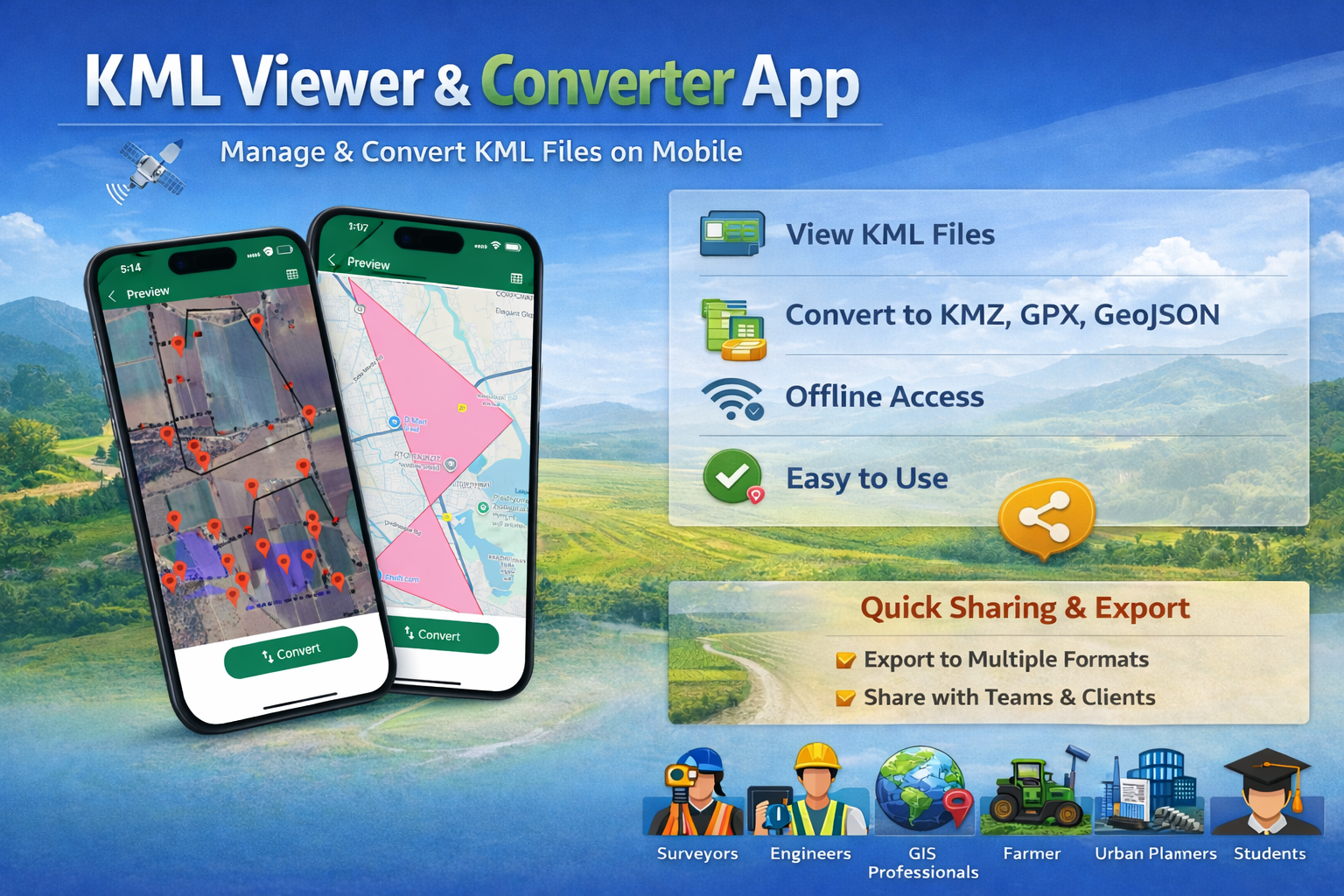
One of the strongest features of the app is its file conversion capability.
You can convert KML files to:
-
KMZ
-
GPX
-
GeoJSON
This makes it easier to use your data across different GIS platforms and mapping tools.
3. Simple & User-Friendly Interface
The app is designed for both beginners and professionals.
-
Clean layout
-
Easy navigation
-
Quick access to key actions
-
No technical learning curve
This helps users focus on their work instead of struggling with complicated tools.
4. Offline Access for Fieldwork
For professionals working in remote or low-network areas, offline access is a huge advantage.
-
Previously loaded KML files can be viewed offline
-
No internet required during site visits
-
Reliable performance in rural locations
This makes the app ideal for land surveyors and agricultural mapping.
5. Accurate Boundary & Area Visualization
The app clearly displays:
-
Land boundaries
-
Area outlines
-
Location points and paths
This is perfect for:
-
Land measurement
-
Agricultural field mapping
-
Infrastructure planning
6. Quick Sharing & Export Options
You can easily:
-
Share files via email or messaging apps
-
Export converted files to other GIS software
-
Collaborate with teams and clients
This improves workflow efficiency and saves time.
7. Works Seamlessly on Android & iOS
The KML Viewer & Converter app works smoothly on both:
You get consistent performance and features across platforms, making it a reliable cross-platform solution.
Who Should Use the KML Viewer & Converter App?
This app is ideal for:
-
Land surveyors
-
Civil engineers
-
GIS professionals
-
Urban planners
-
Agriculture professionals
-
Students learning GIS
-
Anyone working with KML map files
Final Thoughts
The KML Viewer & Converter app is a powerful yet simple solution for managing geographic data on mobile devices. With features like KML viewing, multi-format conversion, offline access, and easy sharing, it’s an essential tool for modern GIS and mapping needs.
If you regularly work with KML files, this app can save time, improve accuracy, and streamline your workflow.
1. What is a KML file used for?
A KML file is used to store geographic data such as locations, boundaries, and routes for mapping and GIS applications.
2. Can I convert KML files using this app?
Yes, you can convert KML files to KMZ, GPX, and GeoJSON formats easily.
3. Does the app work offline?
Yes, once files are loaded, you can view KML files offline without an internet connection.
4. Is the KML Viewer & Converter app available on iOS and Android?
Yes, the app is available on both iOS and Android devices.
5. Is this app suitable for beginners?
Absolutely. The app has a simple, intuitive interface that beginners can use without GIS experience.
6. Who benefits most from this app?
Surveyors, engineers, GIS professionals, planners, students, and anyone handling KML map data will benefit from this app.
Posted 2 months ago by