Precision KML Viewer
and Converter
View, convert, and manage map files easily.
Seamlessly transform spatial data between KML, KMZ, CSV, GPX, GeoJSON, and TopoJSON. No complex software needed—just drag, drop, and convert in seconds.
Powerful File Conversion Features
Everything you need to manage spatial data in one place.
3D KMZ Support
Full support for zipped KML files including textures and 3D models. Perfectly preserved spatial integrity.
GPX Tracks
Convert GPS tracks into web-ready GeoJSON formats.
TopoJSON
Efficient topology-preserving format conversions.
Quick Viewer
Inspect coordinates without opening heavy GIS software.
"Open With" Integration
Seamlessly open map files directly from your email attachments or cloud storage apps on iOS and Android.
CSV to Map
Turn spreadsheets into interactive maps.
Five Steps to Precision
Our workflow is optimized for speed and accuracy. No learning curve required.

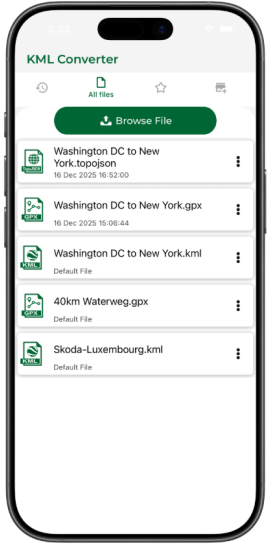
Import Files
Upload your KML, KMZ, or other map files through our secure portal or mobile app.
Choose Settings
Define layers, coordinate systems, and precision levels for your export.
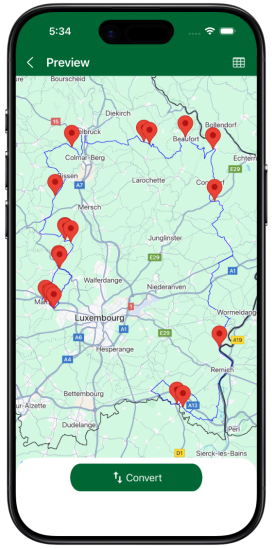
Live Preview
View your data on our interactive map to ensure everything looks perfect before conversion.
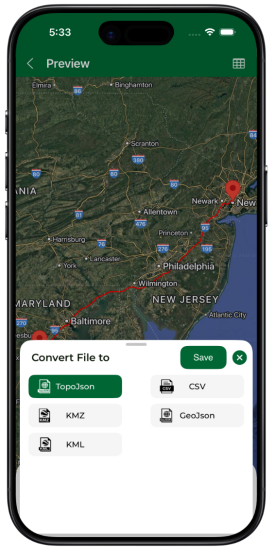
Select Format
Pick from 6+ industry-standard formats including GeoJSON and GPX.
Instant Convert
Download your processed file instantly. Files are automatically deleted for your security.
Seamless Interoperability
Download App Now


Frequently Asked Questions
What is KML? expand_more
KML stands for the keyhole markup language. KML is a file format that shows geographical data in
the earth browser such as google earth. KML is a tag-based structure and with the nested
elements and structure and based on the XML standard. All tags are case-sensitive and this tags
reference depends on the KML file.
It includes line, polygon, images. It is used to identify label location, find a camera angle,
overlay texture and add HTML tag.
What is KML viewer and converter? expand_more
KML viewer and the converter easily convert your file into KMZ, GPX, Geojson, Topojson, CSV. KML viewer and converter used on the map. Many people trouble when shown KML file in the map and it is very troublesome. By the use of KML viewer and converter load, your KML file converts in any form like KMZ, GPX, Geojson, Topojson, CSV. KML viewer and converter easy to load your file and convert it easily. This app is free to convert and view your file.
How it is work? expand_more
KML viewer and converter tool are offhand and convert your file in fraction of time. KML viewer
and converter how to use are shown in some straightforward steps that shown in below.
1) Import your KML file from Dropbox or else in your google drive.
2) In this step, many of your KML file and here you choose any one KML file.
3) When you choose your file here you can see your instant preview that how it shows look
like.
4) To convert the file choose your format KML to KMZ, GPX, Geojson, Topojson, CSV, KML choose
any one format.
5) Now click on share and your work is done.
KML can be converted which formats? expand_more
KML can be converted to CSV, KMZ, GPX, GeoJson, TopoJson.
Does it works offline? expand_more
Yes, the app works flawlessly without internet. But you need internet when app loads for first time.